
Kotohira Internet guide: how to stay connected and work remotely in Kagawa. A guide for remote workers: start with work-friendly spaces like Kotori Coworking and laptop-friendly cafes, then choose SIM, eSIM or pocket Wi-Fi for backup.
Table of Contents
- How the internet in Kotohira works
- Your options at a glance
- How to get ready for Kotohira
- Recommended work spots in and around Kotohira
- Coverage expectations and etiquette
- Wrapping up
- FAQ

How the internet in Kotohira works
There are three practical sources to get online.
Mobile networks
Japan’s carriers blanket towns like Kotohira with LTE and 5G. That coverage powers your phone directly or through a pocket Wi-Fi router. Quality varies by building materials and indoor location, but speeds are generally sufficient for video calls. Visitors often choose short-term SIM or eSIM plans with English support, or rent a pocket Wi-Fi that can connect multiple devices.
Venue Wi-Fi
Most hotels and ryokan provide guest Wi-Fi. Performance can vary by room and time of day, so try common areas if your signal feels weak. For long calls or uploads, use Kotori Coworking or tether through a SIM.
Public hotspots in Kotohira
JR Kotohira Station offers free JR Shikoku Wi-Fi near the gates with time-limited sessions. The Kotohira Maritime Museum provides free KAGAWA-WiFi on the first floor. Use these for quick tasks, maps, or downloads. For calls or uploads, prefer SIM or a workspace network.
Kotohira Internet guide: your options at a glance
SIM and eSIM
If your phone is unlocked, a Japan travel SIM or eSIM is the simplest always-with-you connection. Providers aimed at visitors sell flexible data plans and offer support in English. Activation is typically fast, and hotspot tethering lets you use a laptop on the go.
Tips
- Prefer a plan that allows tethering and clearly states the network used.
- Save the provider’s support email or chat in case you need APN help.
Pocket Wi-Fi
Pocket Wi-Fi is a small battery router that shares a mobile connection with your laptop, tablet, and travel companions. It is a good choice for pairs or teams and when your phone is locked. Battery life and device limits vary by model.
Free Wi-Fi with one app
Install Japan Wi-Fi auto-connect (Google Play – App Store). The app registers you once and helps you auto-join thousands of participating free hotspots nationwide, including transportation hubs and tourist facilities. It also supports OpenRoaming, which expands seamless access across partner SSIDs. Great as a backup when you do not want to burn mobile data.
Starlink in Japan
Starlink operates in Japan and some venues use it as a resilient primary or backup line. It is not something most short-stay visitors bring, but it is useful to know you may encounter it at certain businesses.
How to get ready for Kotohira
- Bring an unlocked phone so you can use local SIM or eSIM.
- Choose your primary connection.
- Short trip: eSIM or pocket Wi-Fi.
- Longer stay: monthly data SIM.
- Install Japan Wi-Fi auto-connect for backup access to free hotspots.
- Download offline maps for Kotohira and Kagawa.
- Use headphones to be respectful to others in shared spaces or cafes.
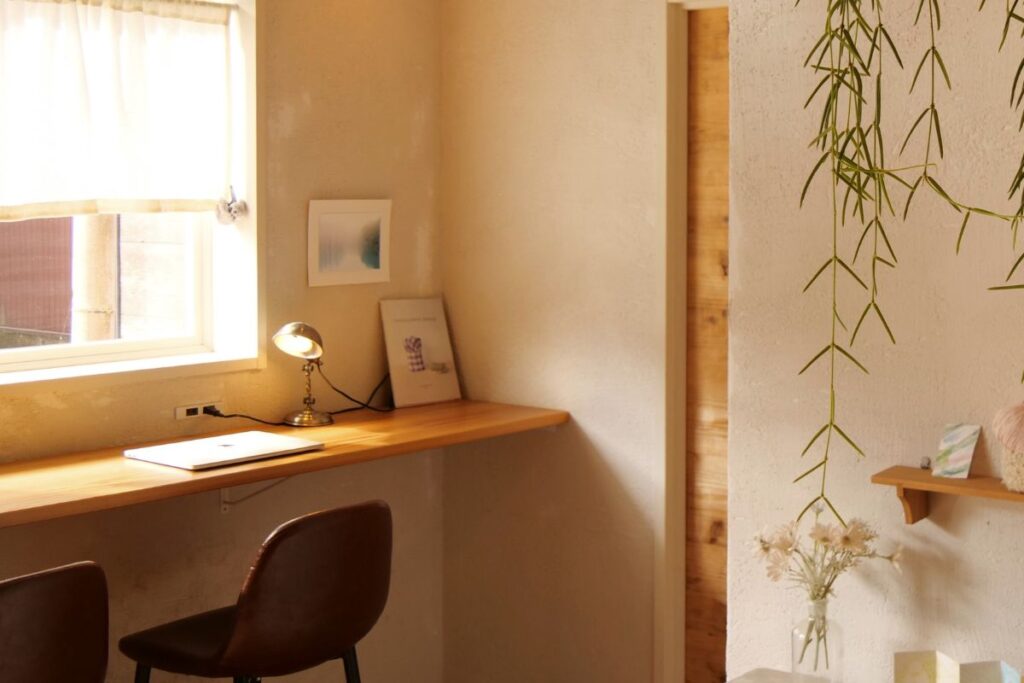
- Book your stay where you can count on reliable Wi-Fi, such as Kotori, or choose accommodation near the coworking space.
Recommended work spots in and around Kotohira
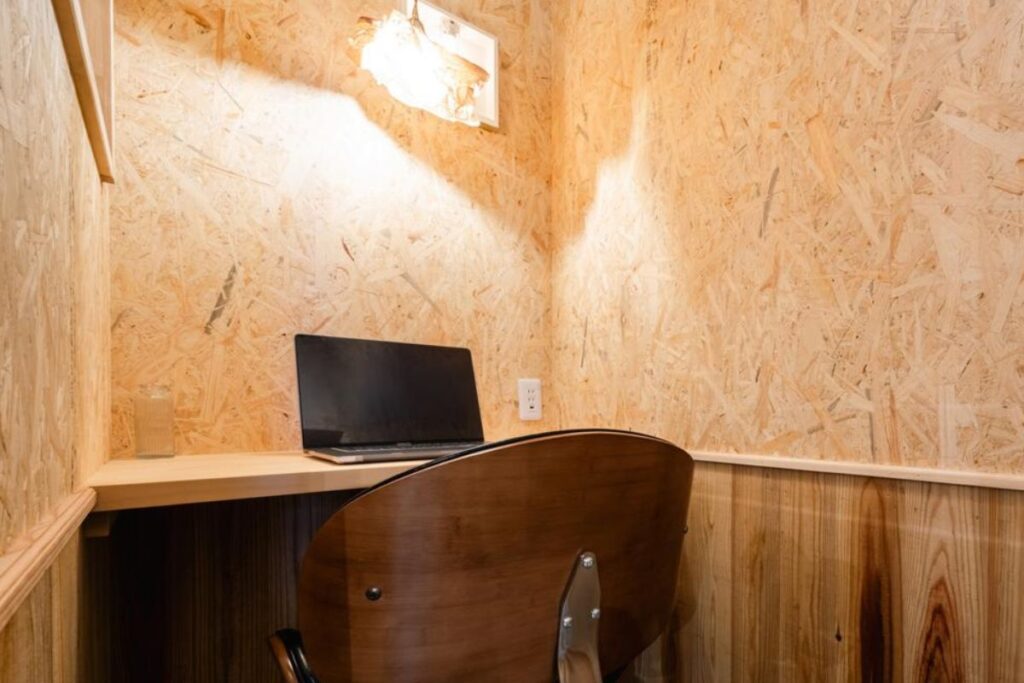
- Kotori hostel & coworking. If you need a dependable base, the coworking space in Kotohira is optimized for calls and focused work, with coffee and community.
- Town cafes with plugs and good light. Check our curated list of a cafe to work in Kotohira when you want a change of scenery.
- Accommodation lounges. Many ryokan and hotels offer quiet daytime corners with Wi-Fi. Confirm bandwidth and ask staff for the least busy hours. Checkout the list of digital nomad accommodation in Kotohira.
Coverage expectations and etiquette
- Speeds. In-town LTE and 5G are usually enough for HD meetings. For 4K uploads or large syncs, queue them for the evening on a stable network.
- Peak times. Tourist areas can get busy. Switch to mobile tethering during congestion.
- Security. Treat public Wi-Fi as untrusted. Use your company VPN or a reputable personal VPN, avoid sensitive logins on captive portals, and prefer your SIM for banking.
- Power. Always carry a compact charger and USB-C cable. Pocket Wi-Fi batteries drain faster during video calls.
Wrapping up
Kotohira is friendly to remote workers if you come prepared. Pick a reliable mobile plan, install Japan Wi-Fi auto-connect for backup, and keep a shortlist of dependable places to plug in. When you want a focused day with community, drop by the coworking space in Kotohira. When you are in the mood for a latte and ambient chatter, pick a cafe to work in Kotohira and enjoy the Konpira vibes between calls.
→ Checkout the full digital nomad guide to Kotohira.
Handy references
- Japan Wi-Fi auto-connect overview and OpenRoaming updates
- JR Shikoku free Wi-Fi and connection guide.
- Kagawa visitor Wi-Fi information.
- Travel SIM, eSIM and pocket Wi-Fi options with English support.
FAQ
How is the internet in Kotohira?
Kotohira is remote work friendly. Many cafes have reliable Wi-Fi for a few hours, and there is a coworking space with fast Wi-Fi, meeting rooms, phone booths, and plenty of outlets. Most hotels and ryokan provide guest Wi-Fi, and free hotspots exist near transport hubs.
Where are the best places to work in Kotohira?
Start at Kotori Coworking, a coworking space in Kotohira, for calls and focused work, then rotate to a favorite cafe to work in Kotohira for lighter sessions.
How should I prepare before coming to Kotohira?
Bring an unlocked phone. Decide between an eSIM, physical SIM, or pocket Wi-Fi. Install a public Wi-Fi helper app.
How can I keep my connection secure while traveling?
Use a VPN on public networks, avoid sensitive logins on captive portals, and favor your SIM or the coworking network for banking.

About the author
Manon, is a digital nomad and content creator. She lives between time zones, works between getaways, and shares the beauty of this joyful mess.